
8 Places to Find Survey Respondents
Finding survey respondents can be time-consuming and costly. Here are some of my favourite go-to methods for getting the answers I need. Some of these can even be adapted to help find in-person usability interview subjects as well.
Finding survey respondents can be time-consuming and costly. Here are some of my favourite go-to methods for getting the answers I need. Some of these can even be adapted to help find in-person usability interview subjects as well.
With over 330 million users talking across 138,000 topics, Reddit can be a fantastic resource for surveying your demographic. There’s even a subreddit specifically for surveys.
/r/SampleSize surveying subreddit
Be sure to check the community sidebar to make sure that posting surveys is allowed. If not, you can always adapt the most important questions into a discussion post instead.
Effectiveness: 🔵🔵🔵🔵⚪️
Difficulty: 🔵🔵⚪️⚪️⚪️
Cost: 🔵⚪️⚪️⚪️⚪️
Facebook Groups
Similar to Reddit, there are countless Facebook Groups with over 1.4 million active users. These numbers may seem overwhelming but they’re actually really good news, because no matter how niche your demographic is, you’re going to be able to find a group that speaks directly to it. Launching a product for amateur mouse taxidermists, building an app for people who are addicted to instant ramen noodles, or trying to target first responders who like lip syncing? Facebook has you covered.
There are also some groups specifically for surveys:
Of course, just spamming a link to your survey isn’t going to be very effective, and some groups may even kick you out for it. Take the time to engage people in these communities before you post to see better response rates.
Effectiveness: 🔵🔵🔵🔵⚪️
Difficulty: 🔵🔵🔵⚪️⚪️
Cost: 🔵⚪️⚪️⚪️⚪️
Twitter Polls
Twitter Polls can be useful for asking a single question and getting quick responses. Keep your poll questions short and sweet. Your audience is more likely to respond when they can read it quickly in their feed. Polls work better the more subjective and authentic the question is. For example, you will probably have more success with questions like, “How many times have you had dessert this week?“ as opposed to “Do you like our product?”.
Twitter only allows four responses, so I find that adding “Other (comment below)” as my final response rate is helpful in getting a conversation going.
To increase your response rate, use hashtags wisely to help people find your polls. You can also write a list of questions, even escalating within a specific topic, and post a new poll at the same time each day.
Effectiveness: 🔵🔵⚪️⚪️⚪️
Difficulty: 🔵🔵⚪️⚪️⚪️
Cost: 🔵⚪️⚪️⚪️⚪️
Google Surveys
Google Surveys offers two main products: Website Surveys and custom surveys, also called “Tagged Surveys”. They are easy to set up and fairly inexpensive to run.
Website Surveys give you a code snippet which will periodically pop up in the corner of your site to ask users about their general satisfaction, including a general rating and free text questions for more qualitative feedback.
You can also create custom surveys with multiple question types, as well as logic and screening questions. You can choose your own audience using tags, or choose from a list of pre-vetted audiences who have already signed up to take surveys. Single-question surveys which appear like ads on other web pages cost pennies, after which you pay a single flat fee per completed survey for up to 10 questions.
Effectiveness: 🔵🔵🔵🔵⚪️
Difficulty: 🔵🔵🔵⚪️⚪️
Cost: 🔵🔵⚪️⚪️⚪️
Slack Groups
If your audience is tech or business related, joining a public Slack group is a useful tool to connect with them. You can find a list of goups to join on Slofile, the public Slack community database.
Just as with Facebook, don’t join just to spam a link to your survey. Take the time to engage with people and give back to these communities before you post to see better response rates and connections.
Effectiveness: 🔵🔵🔵⚪️⚪️
Difficulty: 🔵🔵⚪️⚪️⚪️
Cost: 🔵⚪️⚪️⚪️⚪️
Facebook Ads
If your audience fits within Facebook’s targeting categories, running ads that point to your survey can be a good way to generate traffic.
I find that running multiple versions of an ad with different headlines is useful in understanding how to speak to an audience. For example, some demographics may be inspired to take a survey because they want a chance to speak openly about their experiences, while others might be more inspired if they are being asked for their expert input. Some still may only be motivated by a cash incentive, which we will talk about more later. Think about the possible motivations someone might have to take your survey and write headlines based on those.
Facebook ads aren’t the cheapest to run at volume, but you can put a cap on your spend and use the data you have to adjust and maximise your effectiveness in later campaigns.
Effectiveness: 🔵🔵🔵🔵⚪️
Difficulty: 🔵🔵🔵🔵⚪️
Cost: 🔵🔵🔵🔵⚪️
SurveyTandem and SurveyCircle
These survey “rings” (as I call them) allow you to sign up for an account and take surveys in exchange for responses. You can also buy credits to purchase additional responses. They are more appropriate and useful for generic behaviour analysis, for example of an age group or location-based demographic, as opposed to targeting specific interests or behaviours.
Effectiveness: 🔵⚪️⚪️⚪️⚪️
Difficulty: 🔵🔵🔵🔵⚪️
Cost: 🔵🔵🔵⚪️⚪️
To Incentivise or Not To Incentivise?
Incentivised surveys have a higher completion rate of up to 30%. Finding the right incentive can be tricky though, especially when on a budget.
Be aware that incentivising may alter your data. For example, if you offer a $10 reward for a survey that takes 20 minutes to complete, you may be excluding people for whom that’s not a worthwhile use of their time. I recommend running multiple versions of your survey over time, so you can be aware of this effect.
Here are a few incentivisation ideas that might work for your audience and budget:
Online Shopping Gift Cards
Online Movie Rentals
Coupon Codes for Your Product
Book Giveaways
Larger Raffle Prizes
Charitable Donations
Exclusive Access to an Article or Whitepaper

What tools or websites do you use to find survey respondents? Join the discussion on Twitter!

READY TO SEE WHAT WE CAN DO FOR YOUR PRODUCT TOGETHER?

21 Questions For Mentors to Ask
The key to great mentorship conversations is to encourage your mentee to challenge everything. If they are rooting their decisions and actions in well-researched reality, then they will become more confident. However, if they’re acting based on assumptions or ego, sometimes all it takes is one direct question to break that thought pattern.
The key to great mentorship conversations is to encourage your mentee to challenge everything. If they are rooting their decisions and actions in well-researched reality, then they will become more confident. However, if they’re acting based on assumptions or ego, sometimes all it takes is one direct question to break that thought pattern.
Below are some helpful questions to use as a cheat sheet to get them thinking.
When they’re overwhelmed
Have you checked in with your big picture plan lately?
What individual tasks are you doing each day? What would happen if you simply didn’t do each one?
What additional support or information could make this easier?
When they’re making poor decisions
What reasons do you have for doing this?
What result are you hoping for or expecting when you do this?
What factors have you considered when making this decision?
What additional factors should you consider?
What alternative options have you considered?
When they’re not thinking objectively
Do you really believe what you just said?
What makes you say that?
How do you know that?
Is there any other way to interpret this situation?
When they’re stuck on a problem
What options do you have?
If you had no limitations, what would you change about the situation?
What is in your power to change?
Have you handled a problem like this before? What did you do then?
What assets do you have for handling this situation?
What action could you take, today, to make this a little better?
When this is all over, what do you hope you’ll have learned?
When they’re getting distracted
How does this align with your main goals?
How could you use this situation to move further toward your main goals?
Questions to Avoid
Why? These questions typically intellectual and mask all of the facts and motivations that go into a situation. Ask specific questions about those facts and motivations instead.
Multiple Choice Questions. These are based in assumption, limit their responses, and don’t encourage examining the situation for themselves.
Yes/No Questions. These can sometimes have a place in very rhetorical and positive way to such as, “Do you believe that you are a skilled person?” or “Do you really believe that everyone hates you?“ In other situations, though, they risk removing any need for them to examine themselves.
💬Have something to add? Come find me on Twitter @ashleymarinep.

Dashboard Design Mini-Lessons
Dashboard design is unique in it's challenges. Huge amounts of data need to be connected and displayed in a way that feels meaningful and intuitive to the user. Even the best data set in the world couldn't withstand the horror that is a useless presentation layer. Here are some key mini-lessons to review before launching any data visualisation feature within a webapp.
Dashboard design is unique in it's challenges. Huge amounts of data need to be connected and displayed in a way that feels meaningful and intuitive to the user. Even the best data set in the world couldn't withstand the horror that is a useless presentation layer. Below are some key mini-lessons to review before launching any data visualisation feature within a webapp:
Be Meaningful
Ask "why" before you spit information back at a user. Charts and numbers do not necessarily equal insight. Every piece of information should be there for a reason, not just because you collected it.
Be Organised
Provide an overview screen or summary, with the option to drill-down into deeper insights. Not only does this help the user mentally process the data, but it supplies you with key analytics regarding your user's behaviours and interests.
For conversion flows, less clicks is always more, but this is often not so when when a user is logged in and engaged with a functional app. More page levels of hierarchy can often be better than scrolling endlessly through charts and displays.
Be Interesting
Use colours purposefully. Light to dark, bright vs muted, blues vs yellows - every colour should fit into an overall structure of visual cues.
Be pragmatic
There is no end to the supply of stunning dashboard mockups for inspiration, but charting is often expensive in development time. Choose wisely, focus on being informative, then add some unique elements where time and budget allow.

Today, I got rejected.
Today, I got rejected for representation by an agency that manages, among other things, UX designers. How could this happen? I know the design process is important. Of course I keep up to date with the latest trends. My color palettes are extensively thought out, down to the exact shade. I feel confident that I am, in my day to day work, the shiz. So where did I go wrong?
Well, damn.
Today, I got rejected for representation by an agency that manages, among other things, UX designers. Their rejection was swift and merciless:
"While your profile meets some of our requirements, currently we feel you are not a fit for the type of work we cater to. We would suggest you to improve the presentation of each project and try to showcase them in the best quality possible, your presentation is as important a step in the design process, as the work itself. We also look at your knowledge with the latest design trends, accessibility issues, and color palette, as well as your design process as a whole. You may reapply in 3 months."
How could this happen? I know the design process is important. Of course I keep up to date with the latest trends. My color palettes are extensively thought out, down to the exact shade. I feel confident that I am, in my day to day work, the shiz. So where did I go wrong?
Then I looked back at what I sent them. What I didn't say hit me like a mack truck. I've lamented for so long that I don't have the amount of support I need. I wear three (sometimes more) hats and play the strategist, product manager, designer - hell sometimes, even the developer. But that was no where in my portfolio. I kept it clean, professional, and selected just a few pieces of the process. I listed some of the clients' challenges, but none of my own. I put so much of my soul into the work I do, but there was no way for a stranger to see that in my case studies. They just aren't detailed or human enough. I see where I went wrong.
My mission now is going to be a long-game. It's not going to happen overnight, in fact with my current workload I'll consider myself lucky if I finish it before my three month pseudo-probation is up. It's an investment I desperately need to make though, and I intend to document the entire thing.
Baby Step One
I knew I needed to treat this minor setback as one of my UX challenges. What am I trying to solve? What assets do I have? Where are my challenges, and my "unfair advantages"? What's the market like? Who else is out there, and what do they do?
My first step was to research case studies by UX designers, some who I found myself, and some who actually did pass the test and were represented by the agency I am trying to join. What do the pros include in their case studies? What I found was that there seems to be no right way to do this. There's no formula or template, and I like my formulas and templates. That's cool, I can fix that. Here's a stream-of-consciousness list of thoughts and ideas that I gathered from my research:
It can be a good idea to separate case studies for the main project and some key individual features.
Display technical diagrams like sitemaps and technical specs. If these are proprietary, edit them a bit or white out some key elements.
Show the process of a single screen from sketch to wireframe.
Show the differences in states and experiences for different stakeholders.
Include the short, individual interaction videos supplied to developers.
Include the boring stuff like the weeks spent analysing current flows.
Include before / after comparisons of screens that were redesigned, even if (especially if) you didn't do the before.
Personas are a must for each project. I admittedly rarely get time to do nice ones, but that's an area I could dedicate some time to.
Demonstrate the process with charts and graphs of the design process and software lifecycles.
Include a project timeline. My deadlines are usually insanely tight, this needs to be demonstrated in the case study itself so everything is seen in context.
Include better descriptions of the companies I've worked with. I've got some big names on there, don't hide them in a little logo.
Call out specific tools used in the process. It matters when you use Photoshop vs Illustrator vs Sketch, etc.
Spend more time on the challenges and briefing that happens before the project even starts.
It could be a good idea to have a section dedicated to how I approach each step of the design process, combining examples from each individual case study.
I think I'm going to need a copywriter. Those blocks of text are not my area of expertise, to say the least. Even this blog is mostly in bullets.
Call out what the deliverables were, and how I delivered against each one.
Include quotes from the specific client when available.
Discuss how the user is outside of the digital realm. Show that your solutions are connected to their daily lives.
What now?
So here's where today's story ends. Personally, my next step is to perform a pretty extensive audit of what I've been up to the last five years, and gather all of the stats, docs, research, whiteboard photos, mockups and scraps of paper that show why I do things the way I do them. I've got a hunch that something interesting is going to emerge from that. Stay tuned, internet.
Want to keep up to date with this project, share your own experience, or offer some some words of encouragement? Follow me on Twitter @ashleymarinep!
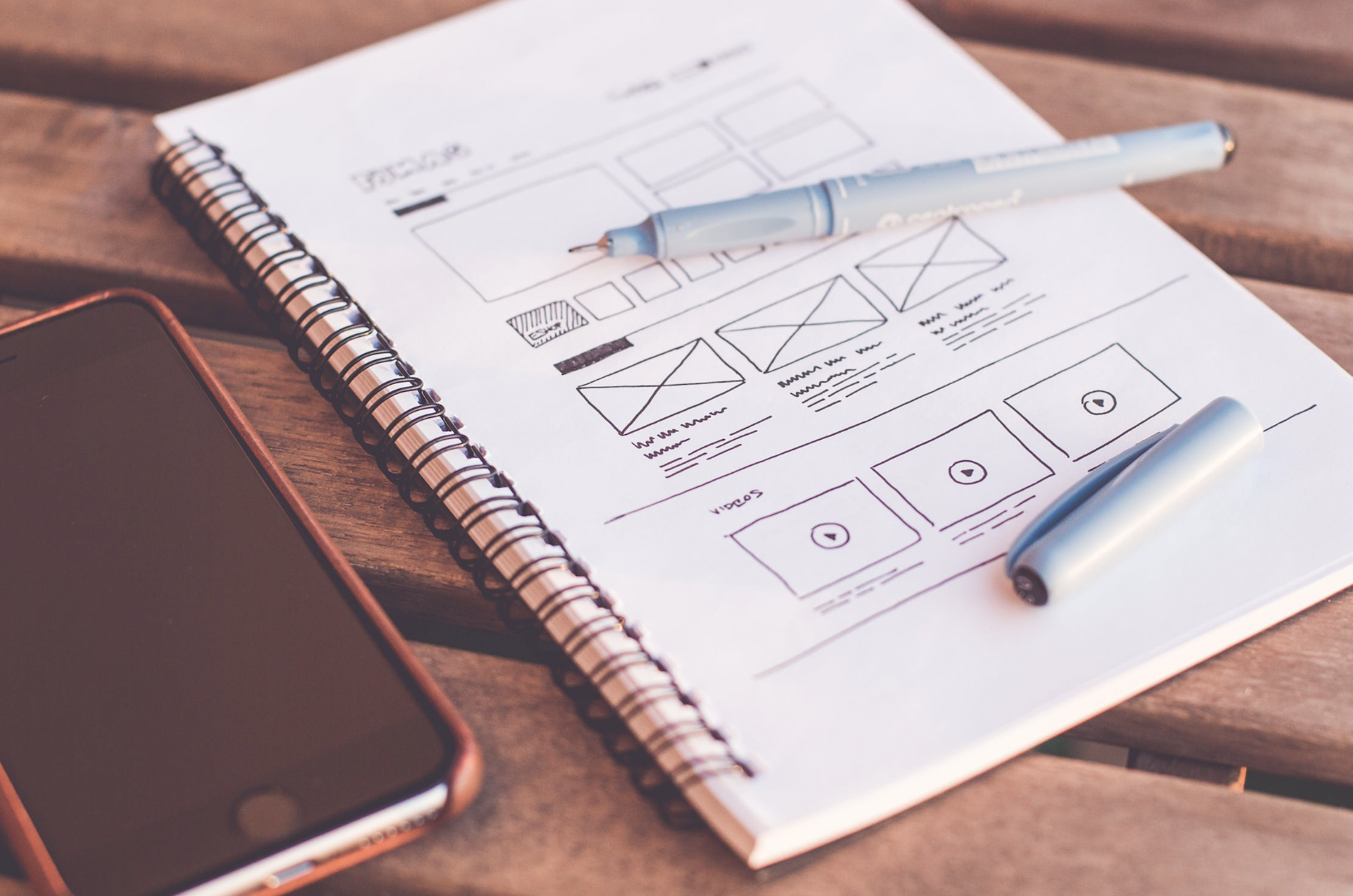
Sample UX Interview Challenge
Often the in-person interview process itself is mostly about determining if you can work with this person day-in-day-out. To assess how they apply their skills though, you need something a little bit more interactive.
This morning I read a blog post by London digital recruitment agency Zebra People that couldn't have had better timing! As they stated, "the majority of final stage interviews now require UX Designers to carry out a task at home and present to the interview panel." I recently hired a Jr UX designer and did the same. Questions like, "What process do you follow?" don't cut it because you end up getting the same answers over and over again. Often the in-person interview process itself is mostly about determining if you can work with this person day-in-day-out. To assess how they apply their skills though, you need something a little bit more interactive...
I'm a major stickler for "no free work" as a freelancer so I would never ask someone to break my own rule. Instead of asking them to solve a real problem or redesign something on my own products, I came up with a fake product for a fake client that they needed to design from scratch. Here's the brief:
Following your UX process, please design a product that meets the following business requirements:
The client needs a mobile application.
Users must be able to log in with their email address and password.
When inside the application, users must be able to perform only one task - tapping a button that says "Tap Me"
Users must be able to view historical data on how many times they have tapped this button in the past.
Your deliverable may be in the form of sketches, wireframes, mockups, prototype, technical specifications - whatever documentation you feel represents your personal skill level. There is no minimum or maximum that you must provide.
Please use a maximum of 90 minutes for this challenge.
I gave this assignment to the three people who passed the initial interview rounds. Here's what the responses that I received told me about them:
Did they include all the necessary account management pieces (such as Create Account, Reset Password, etc.) that come with email login?
Did they create a true onboarding flow?
Did they account for differences in user behaviour between iOS, Android and other platforms?
Did they offer any documentation(such as object tables, database schema suggestions, etc) which could be passed straight on to developers?
Did they make a single assumption about how historical data should be viewed, or did they instead create a system that scaled?
How much did they focus on UX strategy vs UI design?
Did they address the challenges caused by knowing nothing about this client or their purpose for the app?
Did they make any alternative suggestions and back them up with justification?
In the end, the designer I hired passed with flying colours and has been a huge asset to our office. We were able to bring her onto the team with confidence that she would be able to dive in the deep end with us.
Check out Zebra People's post for other samples of UX interview challenges.
Got another suggestion? Catch me on Twitter @ashleymarinep.

Hi, I’m Ashley. I’m a creator, entrepreneur, gamer, storyteller, and serial doer.